- Update to Api 35
- Update all dependencies that were blocked because they require Api 35
- fix some deprecation warnings
- implement the now required edge-to-edge mode

Edge-to-edge mode means that we now draw under the status bar and the
navigation bar and need to make sure we don't overlap with them.
Previously the system would do that for us, and we would only provide
the color we want the bars in.

For the edge-to-edge mode there are two Apis that are important:
- `fitsSystemWindows` - some Widgets, mostly from the Material library,
automatically handle system insets if you set this attribute on them to
true
- `ViewCompat.setOnApplyWindowInsetsListener` - this allows you to
manually handle the various insets. By returning new insets from the
callback it is possible to tell the system which ones are handled and
which ones should be taken care of by another view.

In most places edge-to-edge was straightforward to implement, except in
`ComposeActivity`, `AccountActivity` and `MainActivity` which required a
more custom approach, and a hacky solution to make landscape mode work
in `BaseActivity`.

There is also the `ViewCompat.setWindowInsetsAnimationCallback` Api
which allows animating with moving insets. I used that in
`LoginActivity` and `ComposeActivity` to animate the Views together with
the keyboard.

On Android Versions below 15 (Api <= 34) Tusky will look almost the same
as before. I think the only exception is the main bottom bar, which is
now slighty larger. We customized it to be smaller than the default, but
in edge-to-edge mode the height needs to be `wrap_content` or it won't
handle insets correctly.

Screenshots:

<img
src="https://github.com/user-attachments/assets/2a1bf5d9-79fb-48eb-affc-1cbb1164d5f0"
width="280"/>
<img
src="https://github.com/user-attachments/assets/9edccdf2-c0e9-4881-a6df-bd0872934f28"
width="280"/>
<img
src="https://github.com/user-attachments/assets/2916a271-f53e-4d38-a83a-69083eb3053f"
width="280"/>
Follow up to https://github.com/tuskyapp/Tusky/pull/3921

- no more hardcoded `tusky_blue`, instead the `colorPrimary` attribute
is used. This will help us when adding more themes, e.g a dynamic color
one.
- The `colorPrimary` of the dark theme is now lighter for more contrast
and subsequently the `colorOnPrimary` is now dark grey instead of white.
- `tusky_red_lighter` is now a bit more red than before
- Tweaked color usage in a few places for better contrast

I think this looks a bit unfamiliar but overall better and the higher
contrast makes things noticeably easier to read.

<img
src="https://github.com/tuskyapp/Tusky/assets/10157047/4cbb92d8-b772-4e94-bc15-c4baf0e5473f"
width="260"/>
Currently some vector drawables are loaded using the AppCompat library
and others are loaded using the framework.

This pull request uniformizes this to use AppCompat to load them all.

Other changes:
- Set all compound drawables using relative positioning, since all XML
layouts are also using relative positioning.
- Remove unnecessary layer list drawable used to center
`R.drawable.ic_play_indicator` icon and use
`ImageView.setForegroundGravity()` instead.
- Merge layers in toolbar icons `ic_arrow_back_with_background` and
`ic_more_with_background` into a single vector drawable. Note that the
AppCompat implementation of vector drawables is unable to load vector
drawables inside layer-list drawables, so this change also makes these
images compatible with older Android versions.

**Note**: technically, AppCompat will always delegate to the framework
to load vector drawables on API 24+ which is the current minSDK version
of the app. But at least this gives the option to lower the minSDK
version in the future.
Fixes#2512
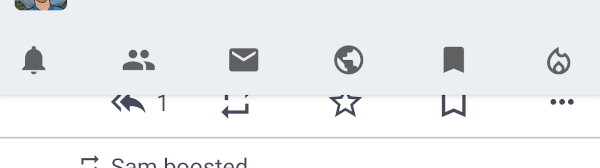
Can add an arbitrary number of tabs.
Graphical behavior is unchanged for small numbers: the whole space if
filled with the tabs - they are enlarged if needed.
If there are more the mode switches to "scrollable".
This does not, however, look very differently (see screenshot with the
current tab scrolled out).
---------
Co-authored-by: Konrad Pozniak <connyduck@users.noreply.github.com>


