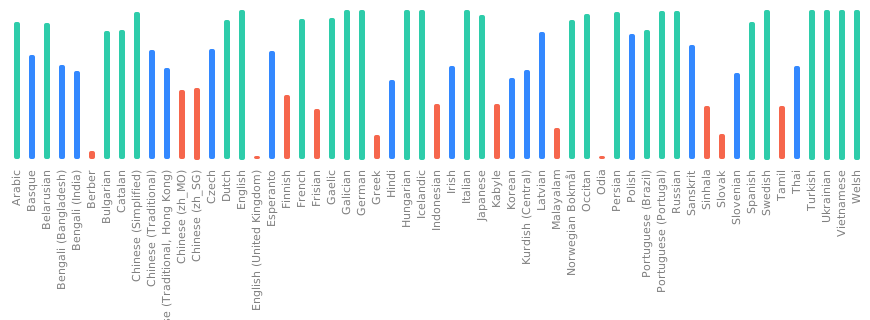
This changes the notification channel names back to what they were pre
https://github.com/tuskyapp/Tusky/pull/4929 so users don't lose their
settings and the channels won't be duplicated. Tusky nightly users that
installed a in-between version will still have duplicate channels, they
will need to reinstall.
On my device the status info was just slighty misaligned, so I
investigated. Turns out the dp values were correct, but the
`Utils.dpToPx` method calculates with the exact density of the device,
whereas everything else uses the density buckets Android defines. And on
some devices that makes a visible difference. Did a little refactor and
now everything should always be aligned correctly.

And in `item_follow` the padding was just different from other
notification items.
```
Exception java.lang.IllegalStateException:
  at androidx.fragment.app.Fragment.requireActivity (Fragment.java:1005)
  at com.keylesspalace.tusky.fragment.ViewImageFragment.getPhotoActionsListener (ViewImageFragment.java:58)
  at com.keylesspalace.tusky.fragment.ViewImageFragment.access$getPhotoActionsListener (ViewImageFragment.java:48)
  at com.keylesspalace.tusky.fragment.ViewImageFragment$ImageRequestListener.onResourceReady$lambda$0 (ViewImageFragment.java:335)
  at android.os.Handler.handleCallback (Handler.java:938)
  at android.os.Handler.dispatchMessage (Handler.java:99)
  at android.os.Looper.loopOnce (Looper.java:226)
  at android.os.Looper.loop (Looper.java:313)
  at android.app.ActivityThread.main (ActivityThread.java:8751)
  at java.lang.reflect.Method.invoke
  at com.android.internal.os.RuntimeInit$MethodAndArgsCaller.run (RuntimeInit.java:571)
  at com.android.internal.os.ZygoteInit.main (ZygoteInit.java:1135)
```
re: https://chaos.social/@jannik/114059313885014801

Not sure why I didn't use `onPrepare` previously 🤔 . Makes more sense
this way.

The difference between `onStart` and `onPrepare` is that `onPrepare` is
called before the `OnApplyWindowInsetsListener` and the other after. So
with `onPrepare` it is easy to detect that an animation is starting. The
keyboard only seems to animate initially, not when it changes size
later, but the previous code always expected an animation.
Closes#3095
---
Since I had to add `visibility` on the `onReblog` method, it is possible
that I have broken something. Also, I kept the old method signature
(which calls the new one), but it's possible that it is not needed.
~~I'm not 100% sure that unlisted boost works, as the visibility of the
boost is not shown anywehere.~~ I've confirmed that private
(followers-only) boosts are not visible on private browsing on the
browser.
EDIT: Confirmed visibility in devtools on web browser.
Screenshots:


… as requested in #4219

No unit tests failed because of this change, as far as I could see.
However, one could add some if necessary.

Co-authored-by: Paul Weber <paul@apollo.ai>
Besides the refactoring these improvements:
* Track last push distributor and reset settings and subscription on any
incompatible change (ie. uninstall)
* Only update (push) notification settings on server if needed
* Allow to only fetch notifications for one account (the one for which a
push message was received)

This is (also) the revival of
https://github.com/tuskyapp/Tusky/pull/3642

It's not really well tested so far. (Ie. with two or more accounts or
two or more push providers.)
The setOnApplyWindowInsetsListener callback is not always excecuted,
e.g. because there are no insets to consume on older api levels. This
fixes the problem and makes sure our RecyclerViews always have the
correct bottom padding and are not covered by other views.
I tried to find a solution without using a deprecated api to no avail.
But better a working app than perfect code I guess.

In the end this probably is a bug in the Material component library
https://github.com/material-components/material-components-android/issues/3307.

I also made the insets smaller which improves the dialogs a lot on small
screens.
Several cases of payloads not being forwarded correctly, leading to
unnecessary re-binding of the whole status view. I simplified the logic
by removing the additional list level, making it easier to understand
what is going on.
- Update to Api 35
- Update all dependencies that were blocked because they require Api 35
- fix some deprecation warnings
- implement the now required edge-to-edge mode

Edge-to-edge mode means that we now draw under the status bar and the
navigation bar and need to make sure we don't overlap with them.
Previously the system would do that for us, and we would only provide
the color we want the bars in.

For the edge-to-edge mode there are two Apis that are important:
- `fitsSystemWindows` - some Widgets, mostly from the Material library,
automatically handle system insets if you set this attribute on them to
true
- `ViewCompat.setOnApplyWindowInsetsListener` - this allows you to
manually handle the various insets. By returning new insets from the
callback it is possible to tell the system which ones are handled and
which ones should be taken care of by another view.

In most places edge-to-edge was straightforward to implement, except in
`ComposeActivity`, `AccountActivity` and `MainActivity` which required a
more custom approach, and a hacky solution to make landscape mode work
in `BaseActivity`.

There is also the `ViewCompat.setWindowInsetsAnimationCallback` Api
which allows animating with moving insets. I used that in
`LoginActivity` and `ComposeActivity` to animate the Views together with
the keyboard.

On Android Versions below 15 (Api <= 34) Tusky will look almost the same
as before. I think the only exception is the main bottom bar, which is
now slighty larger. We customized it to be smaller than the default, but
in edge-to-edge mode the height needs to be `wrap_content` or it won't
handle insets correctly.

Screenshots:

<img
src="https://github.com/user-attachments/assets/2a1bf5d9-79fb-48eb-affc-1cbb1164d5f0"
width="280"/>
<img
src="https://github.com/user-attachments/assets/9edccdf2-c0e9-4881-a6df-bd0872934f28"
width="280"/>
<img
src="https://github.com/user-attachments/assets/2916a271-f53e-4d38-a83a-69083eb3053f"
width="280"/>
`EXTRA_RESTART_ON_BACK` is never set on the Intent extras, but
`intent.extras?.getBoolean(EXTRA_RESTART_ON_BACK)` will return `false`
as long as there are any extras, hiding the actual value from the
`savedInstanceState`.